How to Scale a SaaS Application: Architecture, Database, Caching & 2026 Strategy
Learn how to scale a SaaS application from early users to high traffic with practical guidance on databases, caching, queues, horizontal scaling, autoscaling, multi-tenancy, noisy neighbors, observability, cost, and reliability.
Scaling a SaaS application is not simply a matter of adding more servers. A SaaS platform can slow down because of database queries, connection limits, synchronous background work, cache misses, oversized tenants, inefficient APIs, deployment bottlenecks, or infrastructure that cannot react quickly enough to changing demand. The right scaling strategy is therefore a sequence of engineering decisions rather than one architecture rewrite.
This 2026 guide explains how to scale a SaaS application from an early product to a high-traffic multi-tenant platform. It covers the scaling signals to watch, application and database architecture, horizontal scaling, caching, queues, workers, CDN strategy, read replicas, partitioning, sharding, tenant isolation, noisy-neighbor protection, autoscaling, observability, reliability, cost control, and practical milestones.
Quick Answer: How Do You Scale a SaaS Application?
A scalable SaaS architecture usually evolves in this order: measure performance, fix inefficient queries and application code, make the application tier stateless, move slow work to background jobs, add caching where repeated reads justify it, scale compute horizontally behind a load balancer, optimize and scale the database, introduce read replicas or partitioning when the workload requires them, and consider sharding or tenant-specific infrastructure only when a real capacity or isolation boundary demands it.
What Does Scaling a SaaS Application Actually Mean?
Scaling means increasing the workload a system can handle while keeping performance, reliability, security, and operating cost within acceptable boundaries. The workload can grow in several dimensions at once: more customers, more concurrent users, more requests per second, more database rows, more files, more background jobs, more integrations, or more usage generated by each customer.
This matters because user count is a poor scaling metric by itself. A SaaS with 10,000 users who log in once a month may create less load than a SaaS with 1,000 users generating real-time events every second. Architecture decisions should be based on workload characteristics rather than a headline customer number.
The Four Dimensions of SaaS Scale
Traffic scale: more HTTP requests, API calls, WebSocket connections, and page loads.
Data scale: more rows, files, events, indexes, logs, and historical records.
Compute scale: more CPU, memory, workers, image processing, analytics, and AI workloads.
Organizational scale: more deployments, teams, tenants, regions, integrations, and operational responsibilities.
Start With Measurement, Not Infrastructure
The first scaling tool is observability. Before changing architecture, establish a baseline for latency, throughput, error rate, database load, cache behavior, queue depth, and infrastructure utilization. AWS guidance similarly emphasizes using workload metrics and a data-driven approach when selecting performance and scaling changes.
For API performance, track p50, p95, and p99 latency rather than relying only on averages. An average response time can look healthy while a meaningful percentage of customers experience slow requests. Also separate endpoint latency from downstream latency so that a slow API can be traced to the database, cache, external API, queue, or application code.
Metric
What it tells you
Why it matters
Requests per second
Traffic volume
Helps size compute and identify traffic spikes
p95/p99 latency
Slow-user experience
Shows tail latency that averages hide
Error rate
Reliability under load
Shows when capacity or dependencies are failing
CPU / memory
Compute pressure
Useful for scaling application instances
DB CPU / connections
Database pressure
Identifies data-tier bottlenecks
Cache hit rate
Cache effectiveness
Shows whether cache is reducing downstream load
Queue depth / age
Background workload
Reveals worker capacity problems
Storage growth
Data trajectory
Supports retention and partition planning
Cost per tenant
Economic efficiency
Connects infrastructure growth to SaaS economics
Find the Bottleneck Before Choosing the Solution
Suppose an API takes three seconds. Adding five application servers may not help if 2.8 seconds of that time comes from one unindexed database query. Likewise, adding Redis will not solve CPU-heavy PDF generation if the expensive work is still running inside the API request.
A useful diagnostic sequence is: identify the slow endpoint, break its latency into application and dependency time, inspect database queries, inspect external calls, measure CPU and memory, inspect queue depth, and reproduce the workload with a realistic load test. Only then choose the scaling mechanism.
Make the Application Tier Stateless
Horizontal scaling works best when any healthy application instance can handle any request. This means application instances should not depend on local process memory or local disk for durable user state.
Store sessions in a shared session store or use stateless authentication where appropriate.
Store uploaded files in object storage rather than an application container's local filesystem.
Keep durable data in the database or another shared storage service.
Do not rely on a specific server's in-memory cache for correctness.
Make background jobs independent from the HTTP process.
Keep configuration centralized and versioned.
Statelessness is one of the biggest enablers of horizontal scaling. If an application instance can be terminated and another instance can take over without losing important state, autoscaling becomes much simpler.
Vertical vs Horizontal Scaling
Vertical scaling means giving one resource more CPU, memory, storage, or network capacity. Horizontal scaling means adding more instances or nodes. Both are useful.
Approach
Strength
Trade-off
Vertical scaling
Simple and often effective
Eventually reaches resource or cost limits
Horizontal scaling
Adds capacity and redundancy
Requires statelessness and distributed-system discipline
Read replicas
Adds database read capacity
Reads may be slightly stale
Caching
Avoids repeated work
Invalidation and freshness become design concerns
Queues/workers
Removes slow work from requests
Introduces asynchronous processing
Partitioning
Limits large-table pressure
Adds data-model and operational complexity
Sharding
Distributes data across databases
High complexity and cross-shard constraints
When Should You Scale Vertically?
Vertical scaling is often the simplest first move when the workload is still concentrated in one application instance or database. More memory can improve database caching, more CPU can handle compute-heavy requests, and more connection capacity can provide headroom.
The important point is that scaling vertically is not a failure. If a larger managed database instance solves the bottleneck without architectural complexity, it may be the most appropriate engineering decision. Measure the cost and capacity rather than choosing horizontal scaling simply because it sounds more advanced.
When Should You Scale Horizontally?
Horizontal scaling becomes useful when one application instance cannot reliably handle peak traffic, when availability requires redundancy, or when traffic is variable enough that instances need to scale up and down dynamically.
A load balancer distributes incoming traffic across healthy application instances. AWS documentation describes this pattern with Elastic Load Balancing and Auto Scaling: traffic is distributed across healthy instances while capacity can be adjusted as demand changes.
A load balancer provides a stable entry point while application capacity changes behind it. It can distribute HTTP traffic, perform health checks, terminate TLS, and support multiple availability zones depending on the platform.
For a SaaS application, the important architectural requirement is that the instances behind the load balancer behave consistently. If one instance has unique local state, requests can become dependent on which server receives them.
Autoscaling
Autoscaling adjusts capacity according to demand. The scaling signal should represent the actual bottleneck. CPU can work for CPU-bound APIs, but queue depth may be a better signal for background workers. Request count per target can be useful for web workloads, while memory or custom application metrics may matter for other workloads.
AWS recommends dynamic scaling approaches such as target tracking, predictive scaling, and scheduled scaling, while also emphasizing that the workload must be able to handle both scale-out and scale-in events.
CPU is easy to graph, but it is not always the best representation of user demand. An API can have low CPU while waiting on a saturated database connection pool. A worker can have high CPU while processing a perfectly healthy queue. A video or image workload may intentionally use high CPU.
Choose a metric that correlates with the resource's real work. For request-serving applications, that might be request count per instance or latency. For asynchronous workers, queue depth and oldest-message age can be more useful.
Database Scaling: Usually the Hardest Part
Application servers are relatively easy to add. Databases are harder because data consistency, transactions, indexes, relationships, and writes create coordination requirements.
Before changing database architecture, optimize the existing database. Inspect slow queries, execution plans, indexes, N+1 queries, pagination, connection pooling, and unnecessary data loading. Many SaaS applications can handle substantial growth without sharding if the database is designed and operated carefully.
For a current discussion of relational SaaS database scaling patterns, see the AWS SaaS database scaling guidance and compare it with your workload.
Database Scaling Ladder
Step
Technique
Use when
1
Query optimization
Queries are slow or doing unnecessary work
2
Indexes
Hot filters, joins, sorts, or lookups need faster access
3
Connection pooling
Too many application connections exhaust the database
4
Vertical database scaling
CPU, memory, I/O, or storage capacity is the bottleneck
5
Caching
The same expensive data is repeatedly requested
6
Read replicas
Read traffic is overwhelming the primary
7
Partitioning
Large tables create query, maintenance, or retention pressure
8
Sharding
A single database cannot meet the required write/storage/isolation scale
PostgreSQL for a Scaling SaaS
PostgreSQL is a strong choice for many SaaS applications because transactional data, tenant relationships, subscriptions, permissions, invoices, and application entities benefit from relational constraints. Scaling PostgreSQL is not one decision; it is a sequence of query optimization, indexing, pooling, hardware, replicas, partitioning, and potentially sharding.
The key is to keep the data model understandable while creating indexes around actual access patterns. An index that is never used adds write and storage cost without improving the workload.
Connection Pooling
A common scaling problem is not database CPU but too many concurrent database connections. Every application instance can open connections, so adding application servers can unintentionally multiply database connections.
Use a connection pool and set sensible limits. The total connection budget should account for every application instance, worker process, migration process, reporting job, and administrative tool that can connect to the database.
Read Replicas
Read replicas can distribute read-heavy workloads away from a primary database. They are useful for dashboards, reports, search-like queries, and other operations that can tolerate replication delay.
Not every read should automatically go to a replica. A customer who just changed a record may expect to read the updated value immediately. Keep strongly consistent reads on the primary where necessary and route explicitly tolerant workloads to replicas.
Database Partitioning
Partitioning divides a large logical table into smaller physical partitions according to a key such as time, tenant, or another workload dimension. It can make very large datasets easier to manage and can improve queries when the partition key matches access patterns.
Partitioning is not a replacement for indexing. It is a data-management and query-planning strategy that should be introduced when table size, retention, maintenance, or access patterns justify it.
Database Sharding
Sharding distributes data across multiple database instances. It can provide a path beyond the capacity of a single database, but it also introduces significant application and operational complexity.
You may need to decide which shard owns a tenant, how migrations between shards work, how cross-tenant reporting works, how backups are coordinated, and how global uniqueness is implemented. For many SaaS products, sharding should be considered after simpler database scaling mechanisms have been exhausted or when tenant isolation creates a clear reason for it.
Caching: Reduce Work Before Adding Capacity
Caching is often one of the highest-leverage scaling techniques because it prevents repeated work from reaching the database or application layer. Google Cloud describes caching as a way to reduce reliance on slower storage and improve scalability by serving frequently accessed data from memory.
Expensive aggregations that can tolerate short staleness.
Public or semi-public content.
Reference data used repeatedly by many requests.
Computed API responses with a clear freshness policy.
Redis Caching
Redis is useful for low-latency application caching, distributed rate limits, session storage, counters, and some queue patterns. The important rule is that cached data should not become the only copy of critical business state unless the architecture explicitly treats Redis as durable storage.
Cache invalidation should be designed alongside the cache. A five-minute TTL is easy to implement, but it may not be correct for a permission change, billing entitlement, or security-sensitive configuration. Some data needs event-driven invalidation or a versioned cache key.
CDN and Edge Caching
A CDN reduces origin traffic by serving cacheable content from geographically distributed locations. Static assets such as images, CSS, JavaScript, and downloadable files are common CDN candidates. Public HTML or API responses can sometimes be cached too, but authenticated or tenant-specific data needs careful cache-key and privacy rules.
For a SaaS platform with global customers, edge caching can improve latency while also reducing the number of requests that reach the origin. Cloudflare's current documentation also describes tiered caching as a way to reduce repeated origin requests across its network.
One of the most common SaaS scaling mistakes is doing too much work synchronously inside an API request. Sending email, generating PDFs, processing images, syncing CRM data, importing large files, running reports, and calling several third-party APIs can all make request latency unpredictable.
A queue changes the architecture: the API accepts the request, records the job, and returns a response; a worker processes the job asynchronously. This allows worker capacity to scale independently from web traffic.
Good Candidates for Background Jobs
Email and notification delivery.
Large file processing.
PDF and report generation.
Image or video transformations.
CRM and third-party synchronization.
Webhook fan-out.
Analytics aggregation.
Search indexing.
Scheduled billing or reconciliation work.
AI inference and other long-running compute tasks.
Queue-Based Scaling
A queue provides buffering between producers and consumers. During a traffic spike, requests can add jobs faster than workers can process them temporarily. The queue absorbs the burst while workers catch up.
For reliable processing, design jobs to be idempotent. A worker may receive a retry after a timeout, so running the same job twice should not create duplicate payments, duplicate emails, duplicate records, or inconsistent state.
Worker Autoscaling
Workers should scale according to their workload. Queue depth, oldest-message age, processing latency, and failure rate are often more meaningful than HTTP request count. If the queue grows for ten minutes, that is a stronger signal to add workers than CPU alone.
Object Storage for Files
Do not turn application servers into file servers as your SaaS grows. Store user uploads, exports, reports, and media in object storage such as Amazon S3 or Google Cloud Storage, then deliver them through a CDN or signed URLs where appropriate.
This keeps application instances stateless and allows storage capacity and application compute to scale independently.
API Design for Scale
A scalable API is not only one that can run on many servers. It also limits unnecessary work per request. Use pagination, field selection where useful, batch endpoints for repeated operations, sensible payload sizes, compression, and explicit limits.
Avoid returning thousands of records in one request.
Use cursor-based pagination for large or frequently changing datasets when appropriate.
Prevent N+1 database queries.
Set timeouts for external API calls.
Use retries with backoff only where retrying is safe.
Add rate limits to protect expensive endpoints.
Reject obviously abusive payload sizes early.
Make expensive operations asynchronous.
Rate Limiting
Rate limiting protects both the SaaS platform and individual tenants. Without limits, one customer or automated client can consume disproportionate resources and degrade service for everyone else.
A rate limit can be applied per user, tenant, API key, IP address, endpoint, or combination. The right key depends on the threat and product model. Enterprise customers may require higher quotas, but the underlying protection should remain in place.
The Noisy Neighbor Problem
Multi-tenant SaaS introduces a unique scaling challenge: tenants share resources, but their workloads are not necessarily equal. One customer may run a huge report, import millions of records, or send a large campaign while thousands of other tenants use the product normally.
AWS's SaaS guidance explicitly identifies noisy-neighbor behavior and tenant-aware operations as important concerns for multi-tenant systems.
Separate heavy background workloads from interactive requests.
Use concurrency limits for expensive jobs.
Prioritize interactive traffic over batch work when necessary.
Move unusually large tenants to dedicated resources when the economics justify it.
Alert on tenants whose usage changes dramatically.
Make tenant identity available throughout the request and job pipeline.
Multi-Tenant Database Scaling
There are several broad tenant-isolation models. A pooled model shares infrastructure and usually provides strong cost efficiency. A siloed model gives tenants dedicated resources and stronger isolation at higher cost. A bridge or hybrid model combines shared and dedicated resources.
Model
Scalability characteristic
Typical use
Pooled
Efficient resource sharing
Most SMB and growth SaaS workloads
Siloed
Dedicated capacity per tenant
Strict isolation or very large enterprise tenants
Bridge / hybrid
Shared by default with selective isolation
Platforms with mixed tenant requirements
AWS notes that multi-tenant architecture decisions affect cost optimization, isolation, and scaling behavior. The right model can also change as a SaaS grows; a large enterprise customer does not necessarily need the same infrastructure profile as a small self-service tenant.
Tenant-Aware Observability
Global metrics can hide tenant-specific problems. Track request rate, latency, errors, queue usage, database activity, and resource consumption by tenant where appropriate. This helps identify whether the entire platform is overloaded or one tenant is generating disproportionate work.
Scaling WebSockets and Real-Time Features
Real-time SaaS features introduce connection state and fan-out challenges. WebSocket connections should not depend on one application process. Use a shared pub/sub or messaging layer when events need to reach clients connected to different instances.
Also separate connection management from business processing. A message received over WebSocket may create an asynchronous job, update a database, and publish a notification. Keeping those responsibilities separate makes the system easier to scale.
Search at Scale
Search can become a database bottleneck when the product grows. Basic filtering and indexed queries can remain in PostgreSQL, but large full-text or relevance-heavy workloads may justify a dedicated search system.
Do not introduce Elasticsearch, OpenSearch, or another search engine merely because the application has many records. Start by understanding the search workload and whether database indexes can meet latency requirements.
Microservices: Do You Need Them to Scale?
No. A monolith can scale horizontally if the application is stateless and its dependencies can scale. Splitting into microservices is primarily an organizational and domain-boundary decision as much as a scaling decision.
Microservices can help when different workloads need independent scaling, teams need independent deployment, or specific domains have different reliability requirements. They also add service-to-service networking, deployment, observability, data ownership, and failure modes.
Monolith to Modular Architecture
A useful intermediate architecture is a modular monolith. Separate billing, authentication, subscriptions, reporting, notifications, usage, and core product domains inside one deployable application while enforcing boundaries in code.
Later, the module with the strongest reason to scale independently can become a service. This approach lets the architecture evolve from measured requirements instead of speculation.
Reliability at Scale
Scaling without reliability can make an outage larger. More instances do not help if every instance depends on the same unavailable database. More workers can make a downstream API outage worse by increasing retries.
Set timeouts on network calls.
Use bounded retries with exponential backoff and jitter.
Use circuit breakers where appropriate.
Make queues durable enough for the required recovery model.
Use health checks that test meaningful dependencies.
Design graceful degradation for non-critical features.
Test failure recovery instead of testing only the happy path.
Graceful Degradation
When the platform is under pressure, not every feature needs to fail at once. A reporting dashboard might show slightly stale data while core transactions continue. Recommendations might be temporarily unavailable while account management remains healthy.
Design the system so optional workloads can be reduced or disabled without taking down the core product. Feature flags, queues, cached results, read replicas, and workload priorities can all contribute to graceful degradation.
Deployments at Scale
As customer count grows, deployment reliability becomes part of scalability. A deployment that requires downtime may become unacceptable even if the application itself handles traffic well.
Use automated CI/CD.
Run database migrations carefully and make them backward compatible when possible.
Use health checks before routing traffic to new instances.
Use rolling, blue-green, or canary strategies where appropriate.
Keep rollback procedures tested.
Monitor error rate and latency after deployment.
Use feature flags for risky product changes.
Database Migrations at Scale
Large SaaS tables can make schema changes expensive. Adding a column is usually different from rebuilding an index or rewriting a huge table. For important changes, separate the migration into phases: add compatible schema, deploy code that supports both versions, backfill asynchronously, switch reads or writes, then remove the old structure later.
Observability for a Scalable SaaS
A scalable architecture needs a clear operational view. Logs explain individual events, metrics reveal system behavior, and traces show how one request moves across services and dependencies.
Layer
Useful signals
Frontend
Core Web Vitals, errors, API latency, failed actions
Load testing should resemble the real SaaS workload. A test that sends only simple GET requests does not represent a product with database writes, file uploads, background jobs, WebSockets, and third-party integrations.
Test normal traffic, peak traffic, sudden bursts, long-running workloads, and recovery after the burst. Record where latency starts increasing and which resource saturates first.
Capacity Planning
Capacity planning turns monitoring data into future decisions. If active tenants, requests, stored records, and background jobs are growing at known rates, estimate when the next resource boundary will be reached.
Question
Example
How much traffic can one app instance handle?
2,000 requests/minute at target p95
How many connections can one instance use?
50 pooled DB connections
What is safe DB utilization?
Defined target with burst headroom
How quickly can workers drain jobs?
500 jobs/minute
How much storage is added monthly?
300 GB/month
How much does one active tenant cost?
Infrastructure cost divided by usage
Scaling by User Milestones: A Practical Model
User milestones are useful as planning examples, not universal architecture rules. Workload varies dramatically between SaaS products. A collaboration product with persistent connections and a reporting platform with large database scans can reach different bottlenecks at the same customer count.
At this stage, focus on fundamentals. You should know your slow queries, have indexes on important access paths, paginate large datasets, store files outside the application server, and have basic error and latency monitoring.
Do not build a distributed architecture simply because growth is expected. Make the current architecture measurable and easy to change.
Scaling From 1,000 to 10,000 Users
Background jobs, caching, connection pooling, rate limits, and horizontal application scaling become more useful as traffic increases. Review the database frequently because read-heavy dashboards and poorly indexed tenant queries can create pressure before the application tier does.
Scaling From 10,000 to 100,000 Users
At this stage, the architecture should have explicit capacity boundaries. Multiple application instances, autoscaling, CDN delivery, queues, worker pools, database replicas, tenant-aware monitoring, and more deliberate data management may be required.
This is also the stage where noisy-neighbor behavior becomes more visible. One large tenant or workload can create disproportionate pressure, so quotas and workload isolation should become part of the platform design.
Scaling Beyond 100,000 Users
At very large scale, the question becomes which part of the system is limiting growth. You may need database partitioning or sharding, region-aware architecture, dedicated infrastructure for large tenants, specialized search, streaming systems, or separate services for independently scaling workloads.
Do not assume all of these are required simultaneously. The architecture should follow the bottlenecks that the workload demonstrates.
Cost Optimization Is Part of Scaling
A system that can handle ten times the traffic but costs twenty times as much is not necessarily scaling efficiently. Track infrastructure cost against meaningful business units such as active tenant, active user, transaction, API call, or gigabyte processed.
Right-size compute instead of leaving oversized instances running permanently.
Use autoscaling for variable workloads.
Cache repeated reads to reduce downstream infrastructure.
Use object storage for large files.
Move batch workloads to appropriate worker capacity.
Archive or delete data according to retention requirements.
Monitor per-tenant resource consumption.
Review managed-service pricing before architecture changes.
Security While Scaling
Scaling creates more infrastructure, more instances, more workers, and more data movement. Security controls must scale with them.
Keep tenant authorization enforced on every data path.
Do not trust tenant IDs supplied only by the client.
Use least-privilege service credentials.
Keep secrets out of source code and logs.
Protect internal queues and databases from public access.
Audit administrative actions and high-impact changes.
Apply rate limits to public and authenticated APIs.
Review cache keys carefully to prevent cross-tenant data leakage.
A Reference Scalable SaaS Architecture
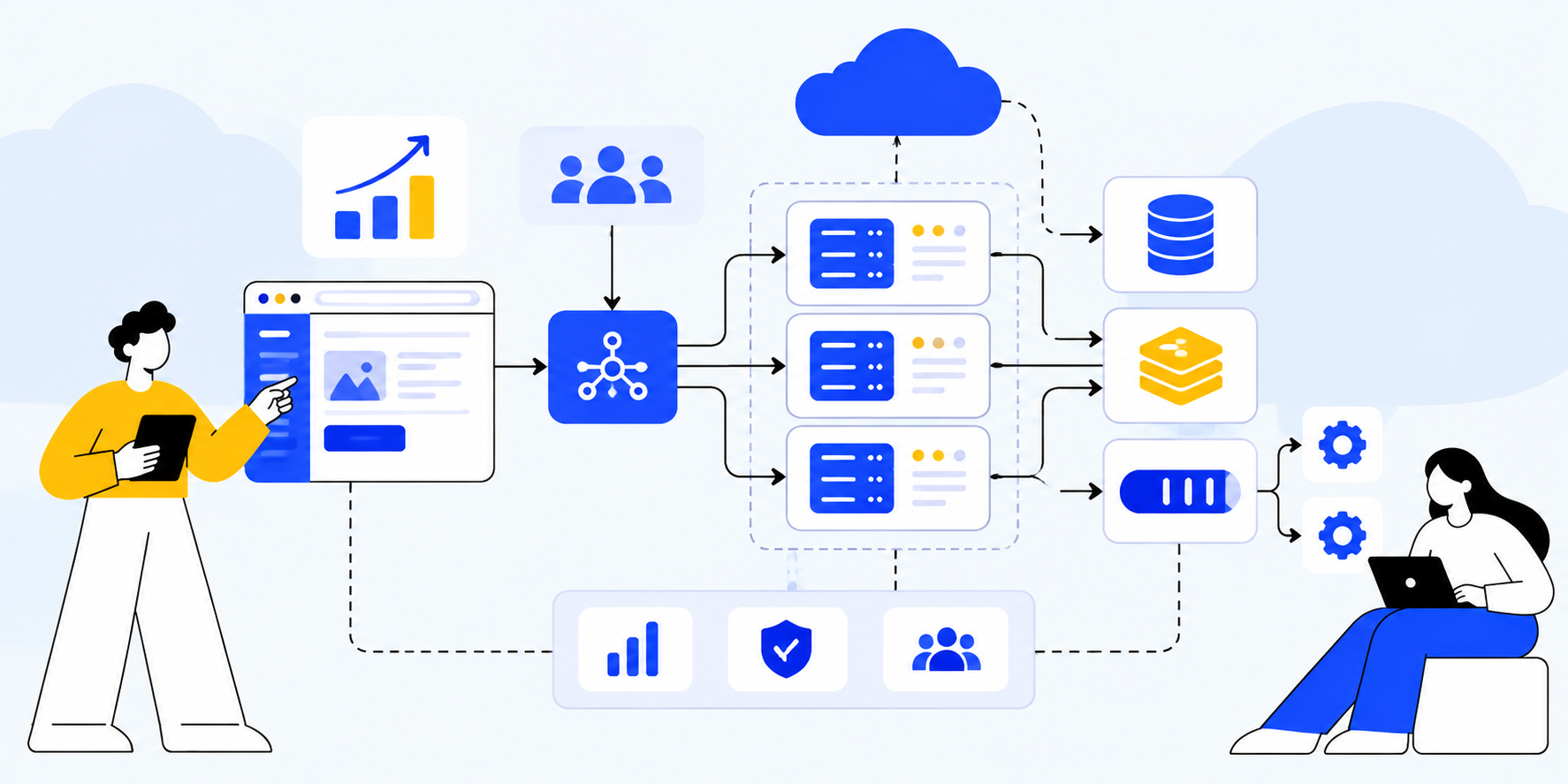
A practical architecture for a growing SaaS can contain a CDN at the edge, a load balancer, multiple stateless application instances, Redis for selected cache and coordination workloads, PostgreSQL as the transactional database, object storage for files, a queue for asynchronous work, worker processes for background jobs, and observability for logs, metrics, and traces.
Component
Primary responsibility
CDN
Static and cacheable content delivery
Load balancer
Traffic distribution and health checks
App instances
HTTP/API business logic
Redis
Cache, rate limiting, ephemeral coordination
PostgreSQL
Transactional source of truth
Read replica
Selected read-heavy workloads
Object storage
Files and generated artifacts
Queue
Durable asynchronous work
Workers
Background processing
Observability stack
Metrics, logs, traces, alerts
Example Node.js / NestJS Scaling Structure
For a Node.js or NestJS SaaS, a practical codebase can keep the application modular while deploying the API and workers independently. Modules might include authentication, tenants, users, billing, subscriptions, files, notifications, reporting, usage, and integrations.
The HTTP process should remain focused on request/response work. Worker processes can share domain code while consuming queue jobs. This gives the platform a clean path to scale API capacity and background capacity separately.
Example Request Flow
User sends an API request through the CDN or load balancer.
A healthy application instance authenticates the request and resolves tenant context.
The service checks cache for suitable data.
If required, the service queries PostgreSQL using an efficient indexed query.
For expensive work, the service creates a background job instead of blocking the request.
The API returns the immediate result or job status.
A worker consumes the job and performs the heavy processing.
The worker stores the result and publishes a completion event.
The client receives or fetches the completed result.
Metrics and traces record the entire flow.
How to Know When Your SaaS Needs More Infrastructure
Look for measurable symptoms rather than arbitrary user counts. Common signals include rising p95 latency, increasing database connection usage, queue backlog, repeated cache misses, high error rates during traffic spikes, storage growth that makes maintenance difficult, or one tenant consistently consuming a disproportionate amount of resources.
Another important signal is operational pain. If deployments repeatedly cause incidents, if engineers manually increase capacity during every campaign, or if nobody can explain where latency comes from, the platform needs better automation and observability even before it needs more machines.
Common SaaS Scaling Mistakes
1. Scaling Before Measuring
Buying more infrastructure without identifying the bottleneck can increase cost while leaving the real problem untouched.
2. Adding Microservices Too Early
Distributed services create operational overhead. A modular monolith may provide enough isolation until independent scaling or team ownership becomes necessary.
3. Ignoring Database Queries
The application server is often not the real bottleneck. Slow joins, missing indexes, N+1 queries, and oversized result sets can dominate latency.
4. Doing Everything Synchronously
Reports, emails, file processing, and integrations should not unnecessarily block customer requests.
5. No Tenant Quotas
Without limits, one customer can consume shared resources and affect everyone else.
6. Treating Cache as the Source of Truth
Cache failures should not destroy critical business state. Keep authoritative data in durable storage and design cache invalidation deliberately.
7. No Capacity Testing
If you never load-test the system, you may discover its capacity limit during a production traffic spike.
8. No Recovery Plan
A scalable system still fails. Backups, restore testing, retry strategies, queue recovery, and operational runbooks are part of scaling.
A Step-by-Step SaaS Scaling Roadmap
Instrument the application and establish latency, throughput, error, database, cache, and queue baselines.
Make application instances stateless and move files to object storage.
Add pagination, rate limits, timeouts, and safe retry behavior.
Move expensive work into background queues and independent workers.
Add caching for high-value repeated reads with explicit freshness and invalidation rules.
Deploy multiple application instances behind a load balancer.
Configure autoscaling based on meaningful workload metrics.
Optimize database connections, queries, indexes, and storage.
Add read replicas when read traffic justifies them.
Introduce partitioning or specialized data stores for demonstrated data bottlenecks.
Add tenant-aware quotas, metrics, and noisy-neighbor protection.
Consider sharding, regional architecture, or dedicated tenant infrastructure only when a measured requirement justifies the complexity.
What to Build Before You Need It
Some foundations are worth adding early because they are difficult to retrofit under pressure. Good examples include structured logging, tenant IDs in telemetry, database migrations that can be rolled back safely, object storage for files, clean domain boundaries, and background job interfaces.
Other technologies are usually better introduced later: sharding, multi-region writes, complex service meshes, large event-streaming platforms, and a dozen independent microservices. The goal is not to predict every future problem. It is to make the next scaling step safe and affordable.
How Axora Infotech Can Help Scale a SaaS Application
Axora Infotech works with SaaS teams on application architecture, Node.js and NestJS backends, PostgreSQL optimization, Redis caching, background workers, API scaling, cloud infrastructure, integrations, and production modernization. The practical goal is to identify the current bottleneck and build the next capacity layer without overengineering the entire platform.
Are p95 and p99 latency measured for important endpoints?
Are slow database queries identified and indexed appropriately?
Is the application tier stateless?
Are files stored outside application instances?
Are slow jobs processed asynchronously?
Do workers scale independently from web traffic?
Is caching used where repeated reads justify it?
Are cache invalidation and freshness rules explicit?
Can multiple application instances run safely?
Is autoscaling based on a meaningful metric?
Are database connections pooled and bounded?
Do read-heavy workloads need replicas?
Are large tables candidates for partitioning?
Are tenant quotas and noisy-neighbor protections in place?
Can the team identify resource consumption by tenant?
Are backups and restore procedures tested?
Can the platform recover from queue, database, or third-party outages?
Is infrastructure cost measured against business usage?
Are load tests run before major capacity increases?
Frequently Asked Questions
How do you scale a SaaS application?
Start by measuring the bottleneck, optimize application and database performance, make the application stateless, move expensive work to queues, add caching, scale compute horizontally, and then introduce database replicas, partitioning, sharding, or tenant-specific infrastructure only when workload requirements justify them.
Can a monolithic SaaS application scale?
Yes. A modular or well-structured monolith can scale horizontally when the application tier is stateless and its dependencies are designed for the workload. Microservices are not a prerequisite for SaaS scalability.
When should I add Redis to a SaaS application?
Add Redis when a measured workload benefits from low-latency caching, distributed rate limiting, session storage, counters, or coordination. Do not add it simply because a SaaS architecture diagram usually contains Redis.
When should a SaaS use a queue?
Use a queue when work does not need to finish during the user's request or when bursts need to be buffered. Email, reports, file processing, integrations, webhooks, and many analytics jobs are common candidates.
When should I use read replicas?
Use read replicas when read traffic is a significant database bottleneck and the affected reads can tolerate replication lag. Optimize queries and indexes first.
When should I shard a SaaS database?
Sharding is appropriate when a single database becomes a demonstrated capacity, storage, write, or isolation constraint that simpler approaches cannot solve economically. It should be planned around a clear shard key and operational model.
How do I prevent one SaaS customer from slowing everyone else?
Use tenant-aware rate limits, quotas, concurrency controls, workload priorities, usage monitoring, and selective isolation for unusually large or demanding tenants.
How does multi-tenancy affect SaaS scaling?
Multi-tenancy introduces shared-resource and noisy-neighbor concerns. Scaling decisions should account for tenant activity, isolation requirements, data partitioning, and cost per tenant rather than only global traffic.
What is the biggest SaaS scaling mistake?
A common mistake is changing infrastructure before identifying the bottleneck. Scaling the wrong layer can increase complexity and cost without improving the user-facing problem.