Cloud Migration Services
Move applications, databases, infrastructure, and data to AWS, Azure, or Google Cloud with workload assessment, migration planning, secure execution, tested cutovers, modernization, validation, and post-migration optimization.
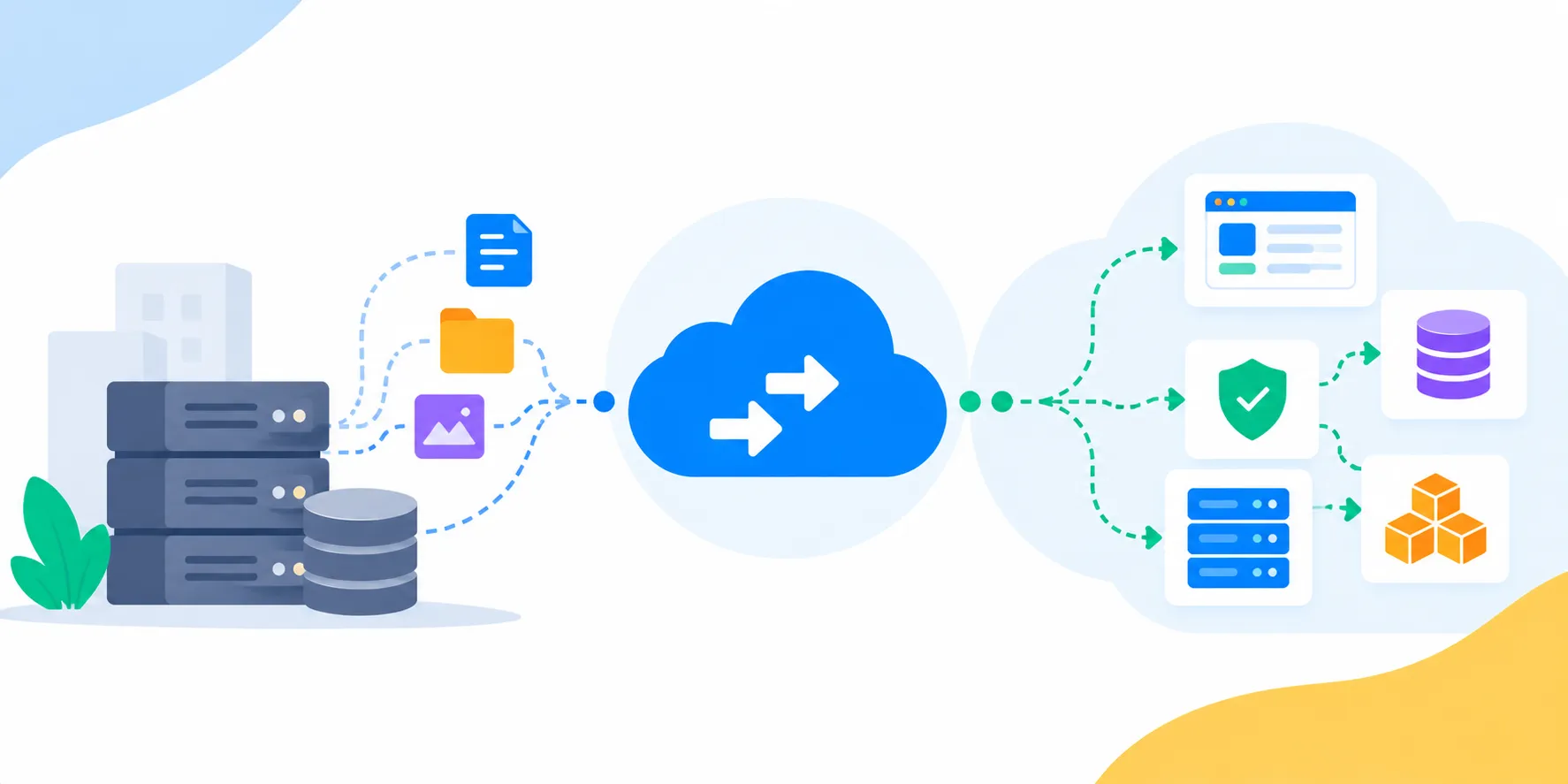
Cloud Migration Is More Than Moving Servers
A successful cloud migration moves more than infrastructure. Applications, databases, files, integrations, identities, scheduled jobs, networking, security controls, monitoring, backups, and operational processes all need to work together after the transition.
Our cloud migration services start with discovery and workload assessment before execution. We map dependencies, understand business criticality, evaluate migration readiness, estimate effort and cost, and recommend whether each workload should be rehosted, replatformed, refactored, rebuilt, retired, or retained.
The goal is not simply to make an old environment run somewhere else. Where modernization creates clear value, we improve architecture during or after the move so the resulting cloud environment is easier to scale, secure, operate, monitor, and optimize.
Migration Scenarios
Who Uses Our Cloud Migration Services
We tailor migration plans to the starting environment, application estate, business priorities, and acceptable operational risk.
- ✓On-Premises EnterprisesMove servers, applications, databases, storage, and supporting systems from data centers into a managed cloud environment.
- ✓Growing SaaS CompaniesMove or modernize infrastructure as customer usage grows beyond the limits of the current hosting environment.
- ✓Cloud-to-Cloud MovesMove selected workloads or entire environments between AWS, Azure, Google Cloud, or other supported platforms.
- ✓Data Center ExitPlan workload dependencies and migration waves around lease expiry, hardware refresh cycles, or data-center consolidation.
- ✓Legacy Application OwnersModernize applications that are difficult to maintain while moving them toward cloud-native infrastructure.
- ✓Cost & Reliability ProgramsMove workloads when the current environment has become too expensive, difficult to scale, difficult to secure, or operationally fragile.
Migration Capabilities
Cloud Migration Services We Offer
Our cloud migration services cover the assessment, planning, execution, validation, and optimization work required to move production workloads safely.
Cloud Migration Assessment
Inventory applications, infrastructure, data, dependencies, performance, security, operational costs, and migration readiness before execution.
Cloud Migration Consulting
Define migration strategy, target architecture, business priorities, risks, timelines, governance, and a practical roadmap.
Application Migration Services
Move web applications, APIs, background workers, scheduled jobs, services, and supporting components to cloud environments.
Database Migration Services
Plan database movement, replication, validation, compatibility, synchronization, cutover, and rollback for critical data stores.
Data & Storage Migration
Migrate files, object storage, documents, media, backups, archives, and large data sets with validation and access controls.
AWS Migration Services
Plan and execute migrations to AWS across compute, databases, storage, networking, containers, security, and managed services.
Azure Migration Services
Migrate applications and enterprise workloads to Azure with networking, identity, databases, hybrid connectivity, and operational controls.
Google Cloud Migration Services
Move application, data, analytics, and AI workloads to Google Cloud with appropriate storage, compute, networking, and managed services.
Cloud-to-Cloud Migration
Move workloads between cloud providers when architecture, cost, capability, acquisition, compliance, or operating-model needs require it.
Hybrid Cloud Migration
Move selected workloads while retaining systems on premises or in private infrastructure where business or technical constraints require a hybrid model.
Cloud Modernization During Migration
Containerize, replatform, refactor, or replace selected components when modernization reduces operational risk or improves business value.
Migration Validation & Optimization
Validate data and application behavior, monitor the new environment, right-size resources, improve security, and optimize cloud costs after cutover.
6Rs Migration Framework
Choose the Right Migration Strategy for Each Workload
A large application portfolio rarely needs one migration strategy. We classify workloads individually so speed, modernization, risk, and business value can be balanced.
Rehost
Move the workload with minimal application changes when continuity and migration speed are the priority.
Replatform
Move to managed cloud services with targeted changes that reduce infrastructure overhead without rebuilding the application.
Refactor / Rearchitect
Change the application architecture to benefit from cloud-native scaling, resilience, managed services, or new delivery patterns.
Repurchase
Replace an existing system with a suitable SaaS or commercial product when rebuilding is not the best business decision.
Retire
Remove redundant or unused workloads instead of spending money and risk migrating systems the business no longer needs.
Retain
Keep workloads where migration is not currently justified because of dependencies, economics, compliance, or business priorities.
Migration Assessment and Dependency Mapping
Before migration, we build an inventory of the applications, servers, databases, storage, network paths, integrations, scheduled jobs, identities, certificates, external services, and operational processes that make each workload function.
Dependency mapping is especially important for business systems that look simple from the server list but depend on shared databases, file systems, queues, APIs, DNS, authentication services, third-party integrations, or batch jobs.
The assessment produces a practical view of migration readiness, business criticality, technical complexity, dependencies, security requirements, downtime tolerance, estimated effort, and the recommended migration path for each workload.
Target Environment
Cloud Landing Zone and Migration Foundation
The destination environment should be ready before production workloads arrive.
- ✓Account & Subscription StructureCreate an environment structure that separates production, non-production, teams, workloads, and ownership appropriately.
- ✓Network ArchitectureSet up virtual networks, subnets, routing, private connectivity, gateways, firewalls, and controlled ingress and egress.
- ✓Identity & AccessEstablish roles, service identities, least-privilege permissions, authentication boundaries, and administrative controls.
- ✓Security BaselineConfigure secrets, encryption, logging, backup policies, security monitoring, and baseline controls before migration waves.
- ✓Infrastructure as CodeCreate repeatable infrastructure using version-controlled configuration instead of manual cloud-console setup.
- ✓Monitoring FoundationPrepare metrics, logs, alerts, health checks, dashboards, and incident visibility before workloads enter production.
Workload Migration
Application Migration
Applications are migrated with their runtime configuration, dependencies, integrations, deployment process, and operational requirements in mind.
Web Applications
Move frontend and server-side applications with appropriate networking, scaling, caching, storage, and deployment configuration.
APIs & Services
Migrate APIs and backend services while preserving authentication, integrations, service dependencies, and performance expectations.
Background Workers
Move queues, workers, scheduled tasks, cron jobs, and asynchronous processing with correct retry and failure behavior.
Containerized Workloads
Move existing containers or containerize suitable applications as part of the migration and modernization strategy.
Legacy Applications
Choose between rehosting, replatforming, incremental modernization, or replacement based on application constraints and business value.
Third-Party Integrations
Validate payment systems, messaging, email, identity, CRM, ERP, analytics, storage, and external API integrations after migration.
Data Integrity
Database and Data Migration
Data migration requires more than copying files. We plan compatibility, synchronization, validation, cutover, access, backup, and rollback.
Relational Databases
Plan migrations for PostgreSQL, MySQL, SQL Server, and other relational workloads with compatibility and cutover considerations.
NoSQL Databases
Move document, key-value, cache, and other NoSQL workloads while considering data models, throughput, indexes, and application dependencies.
Replication & Synchronization
Use replication or change-data approaches where appropriate to keep source and destination systems aligned before cutover.
Data Validation
Compare record counts, schemas, critical queries, application behavior, and representative data before and after migration.
Storage & Files
Move documents, media, object storage, backups, and archives while preserving required access and lifecycle behavior.
Backup & Recovery
Verify backup policies and recovery procedures before retiring or changing the source environment.
Production Transition
Low-Risk Cutover and Rollback Planning
Migration risk is managed through rehearsal, validation, communication, monitoring, and a defined way back when a cutover does not meet acceptance criteria.
- ✓Test MigrationRun representative migrations before the production wave to identify technical and operational issues.
- ✓Parallel RunWhere appropriate, operate source and destination environments together while the new environment is validated.
- ✓Cutover ChecklistDefine technical steps, ownership, dependencies, communication, validation checks, and go/no-go criteria.
- ✓Rollback PlanKeep a documented recovery path if production validation fails or an unexpected dependency appears.
- ✓DNS & Traffic TransitionPlan DNS, routing, load balancing, application endpoints, and traffic changes around the cutover window.
- ✓Post-Cutover MonitoringWatch application health, data integrity, performance, errors, infrastructure capacity, and user-facing workflows after transition.
Secure Migration
Security and Compliance During Migration
Security controls must protect workloads and data during the migration as well as after they arrive in the cloud.
Encryption
Protect data in transit and at rest using appropriate encryption and key-management practices.
Identity Controls
Limit migration and production access through role-based permissions, service identities, and controlled administrative access.
Network Segmentation
Use private connectivity, security groups, firewalls, and segmentation to limit unnecessary exposure.
Secrets Management
Move credentials, API keys, certificates, and sensitive configuration into appropriate managed secret stores.
Audit & Logging
Maintain useful audit trails and operational logs to support investigation, governance, and troubleshooting.
Data Residency
Account for regional, contractual, industry, and internal data-location requirements when selecting cloud services and regions.
Modernize What Should Not Be Lifted and Shifted
Lift-and-shift can be the right answer when the priority is a fast, low-change migration. It is not always the best long-term architecture. Some workloads become more expensive or difficult to operate when moved without addressing their original constraints.
During assessment, we identify workloads where containerization, managed databases, serverless components, asynchronous processing, caching, API boundaries, autoscaling, or other modernization patterns can create meaningful benefits.
Modernization can happen before migration, during the migration wave, or after stabilization. This lets businesses balance immediate continuity with longer-term engineering improvements instead of forcing every workload into a large rewrite.
Migration Economics
Cloud Cost Planning Before and After Migration
A successful migration should consider the future operating cost, not just the cost of moving workloads.
Current-State Cost Baseline
Understand infrastructure, licensing, storage, backup, support, and operational costs before migration.
Target-State Estimation
Estimate cloud compute, storage, database, networking, monitoring, backup, and managed-service costs.
Right-Sizing
Choose appropriate capacity instead of copying oversized source infrastructure directly into cloud resources.
Resource Governance
Use ownership, tagging, budgets, environments, and policies to make cloud spending visible and controllable.
Post-Migration Optimization
Review utilization, scaling, storage tiers, idle resources, data transfer, and architecture after workloads stabilize.
Ongoing FinOps
Establish a repeatable cost-management process as usage, workloads, and business requirements change.
AWS, Azure & Google Cloud
Cloud Migration Platforms We Support
We work across the major cloud platforms and can also design hybrid or cloud-to-cloud migration paths.
AWS Migration
Migrate applications, databases, storage, containers, networking, and supporting services into AWS environments.
Azure Migration
Move enterprise applications, Microsoft workloads, databases, identity, and hybrid systems into Azure.
Google Cloud Migration
Move application, analytics, data, Kubernetes, and AI workloads to Google Cloud with appropriate target services.
Cloud-to-Cloud Migration
Move selected workloads between cloud providers when cost, capability, architecture, acquisition, or operating-model needs change.
Hybrid Cloud
Keep selected systems on premises or in private infrastructure while moving other workloads to public cloud.
Multi-Cloud
Support multiple cloud providers when a clear business, regulatory, resilience, or workload-specific reason exists.
Common Migration Goals
Cloud Migration Use Cases
Different businesses start migrations for different reasons. The target architecture should support the reason for moving.
Data Center Exit
Move workloads out of owned or leased data centers before hardware refreshes, lease expiry, or consolidation.
Application Scalability
Move applications to infrastructure that can scale capacity more flexibly with traffic and customer growth.
Legacy Modernization
Use migration as an opportunity to improve application architecture, deployment, observability, and managed services.
Cloud Cost Reset
Move or restructure workloads when the current environment has become expensive or difficult to optimize.
Acquisition Integration
Consolidate infrastructure and workloads after mergers, acquisitions, or organizational changes.
Business Continuity
Move workloads or add cloud recovery environments to improve resilience and recovery options.
AI & Data Readiness
Move data and application workloads toward cloud platforms that provide the required analytics, processing, and AI capabilities.
Platform Consolidation
Reduce fragmented infrastructure by consolidating workloads into a governed cloud operating model.
Industry Workloads
Cloud Migration Across Industries
Migration plans must account for workload criticality, data sensitivity, integrations, and operating requirements.
SaaS & Technology
Migrate customer-facing platforms, APIs, databases, queues, and development environments while maintaining release velocity.
Manufacturing
Move ERP-connected systems, operational applications, analytics, and integration workloads while accounting for plant dependencies.
Retail & E-commerce
Migrate commerce applications, catalogs, customer data, APIs, and analytics with careful attention to availability and peak traffic.
Logistics
Move tracking, fleet, routing, warehouse, and real-time integration workloads with appropriate resilience and data flows.
Healthcare
Plan secure migration for applications and data where availability, access control, auditability, and data location matter.
Financial Services
Address security, auditability, resilience, data controls, and carefully governed migration waves for financial workloads.
Professional Services
Move portals, business applications, reporting, collaboration systems, and integrations to scalable cloud environments.
Education
Migrate learning platforms, portals, content systems, analytics, and supporting applications with scalable infrastructure.
Our Cloud Migration Process
A structured migration process reduces surprises by separating discovery, planning, execution, validation, and optimization.
Discovery & Inventory
Identify applications, servers, databases, storage, integrations, identities, scheduled jobs, users, and operational dependencies.
Dependency Mapping
Map application, database, network, identity, third-party, and data dependencies that influence migration order.
Readiness Assessment
Evaluate technical complexity, security, performance, availability, data sensitivity, downtime tolerance, and migration readiness.
Migration Strategy
Classify workloads using the appropriate 6R path and define the target architecture and business rationale.
Wave Planning
Group workloads into migration waves based on dependencies, criticality, complexity, testing needs, and business priorities.
Cloud Foundation
Prepare networking, identity, security, infrastructure as code, monitoring, backup, environments, and operational controls.
Pilot Migration
Migrate representative workloads to validate tooling, patterns, assumptions, performance, and operational procedures.
Data & Application Migration
Move applications, databases, files, services, integrations, and configurations while maintaining required synchronization.
Testing & Rehearsal
Validate functionality, data integrity, security, performance, monitoring, recovery, and the production cutover procedure.
Production Cutover
Execute the approved transition with go/no-go checks, communication, monitoring, and rollback readiness.
Stabilization
Monitor the new environment, resolve migration issues, validate business workflows, and confirm operational ownership.
Optimization & Modernization
Right-size resources, improve security, optimize cost, strengthen observability, and create the next modernization backlog.
Cloud Migration Technology Stack
Technology choices depend on the source environment, target cloud, workload type, data volume, and migration strategy.
Flexible Delivery
Cloud Migration Engagement Models
Choose the engagement that matches the size of your migration and the capabilities of your internal team.
Migration Assessment
A focused discovery and readiness engagement that produces workload inventory, dependency mapping, migration recommendations, and a practical roadmap.
Migration Project
A defined migration engagement covering foundation, workload movement, testing, cutover, stabilization, and optimization.
Migration Engineering Team
Add cloud, application, database, DevOps, and infrastructure engineering capacity to your internal migration program.
Migration & Managed Cloud
Continue with monitoring, security, cost optimization, maintenance, and modernization after workloads move to the cloud.
When Cloud Migration Makes Business Sense
Cloud migration often becomes a priority when infrastructure limits growth, data centers are approaching renewal, legacy systems are becoming difficult to support, operating costs are rising, or the business needs stronger scalability and resilience.
Migration should not be driven by the assumption that every workload belongs in the cloud. Some systems may be better retained temporarily, retired, replaced, or modernized before they move. The right plan is based on business value, workload economics, technical dependencies, security, compliance, and operational capability.
A well-planned migration creates a foundation for future improvements rather than simply recreating the old environment in a new location.
Why Axora Infotech
Why Businesses Choose Axora for Cloud Migration
We combine application engineering, cloud infrastructure, data engineering, APIs, DevOps, and security thinking so migration decisions account for the whole system.
- ✓Workload-by-Workload PlanningWe avoid forcing a single migration pattern across an entire application estate.
- ✓Application-Aware MigrationApplications, databases, APIs, queues, integrations, and business workflows are considered together.
- ✓Validation Before CutoverTest migrations, data validation, rehearsals, acceptance checks, monitoring, and rollback planning reduce production risk.
- ✓Modernization Where It MattersWe identify workloads where replatforming or refactoring creates meaningful operational or business value.
- ✓Security & ReliabilityIdentity, networking, secrets, backups, monitoring, recovery, and governance are part of the migration foundation.
- ✓Post-Migration OptimizationWe continue beyond cutover with cost tuning, right-sizing, observability, security improvements, and modernization.
Migration Is the Start of the Cloud Operating Model
A migration is successful when the business can operate the new environment confidently—not simply when the workloads have been copied to cloud infrastructure.
That means teams need clear ownership, repeatable deployments, monitoring, alerts, backups, recovery procedures, security controls, cost visibility, documentation, and a roadmap for workloads that still need modernization.
Our approach connects migration with the cloud operating model that follows it, so the destination environment is prepared for ongoing product development rather than becoming another legacy platform.
Related Services
Services to Support Your Cloud Migration

SaaS Development Company
Build, launch, modernize, and scale SaaS products with multi-tenant architecture, product-focused workflows, subscription billing, integrations, security, cloud infrastructure, and engineering foundations built for recurring software businesses.
Learn more
Cloud Services Company
Design, migrate, secure, optimize, and operate cloud environments across AWS, Azure, Google Cloud, and hybrid infrastructure with architecture, automation, DevOps, cost control, resilience, and managed cloud services.
Learn more
Data Engineering Company
Build reliable data pipelines, warehouses, lakehouses, integrations, streaming systems, and governed data platforms that turn fragmented business data into trusted foundations for analytics, reporting, automation, and AI.
Learn more
API Development Services
Build secure, scalable, and high-performance Web APIs, custom microservices integrations, and RESTful structures. Enterprise API development company delivering premium connector solutions.
Learn moreFrom Our Blog
Cloud & Engineering Insights
Frequently Asked Questions
Ready to Transform Your Business?
Get started with our intelligent digital solutions. Our team is ready to help you unlock the power of AI-driven technology.
Send us a message
Fill out the form below and we'll get back to you within 24 hours
Contact Information
Reach out to us through any of these channels