QA Automation Services Company
Accelerate software quality with maintainable QA automation across web, mobile, APIs, and critical workflows using modern test frameworks, CI/CD execution, reliable reporting, and a risk-based automation strategy.
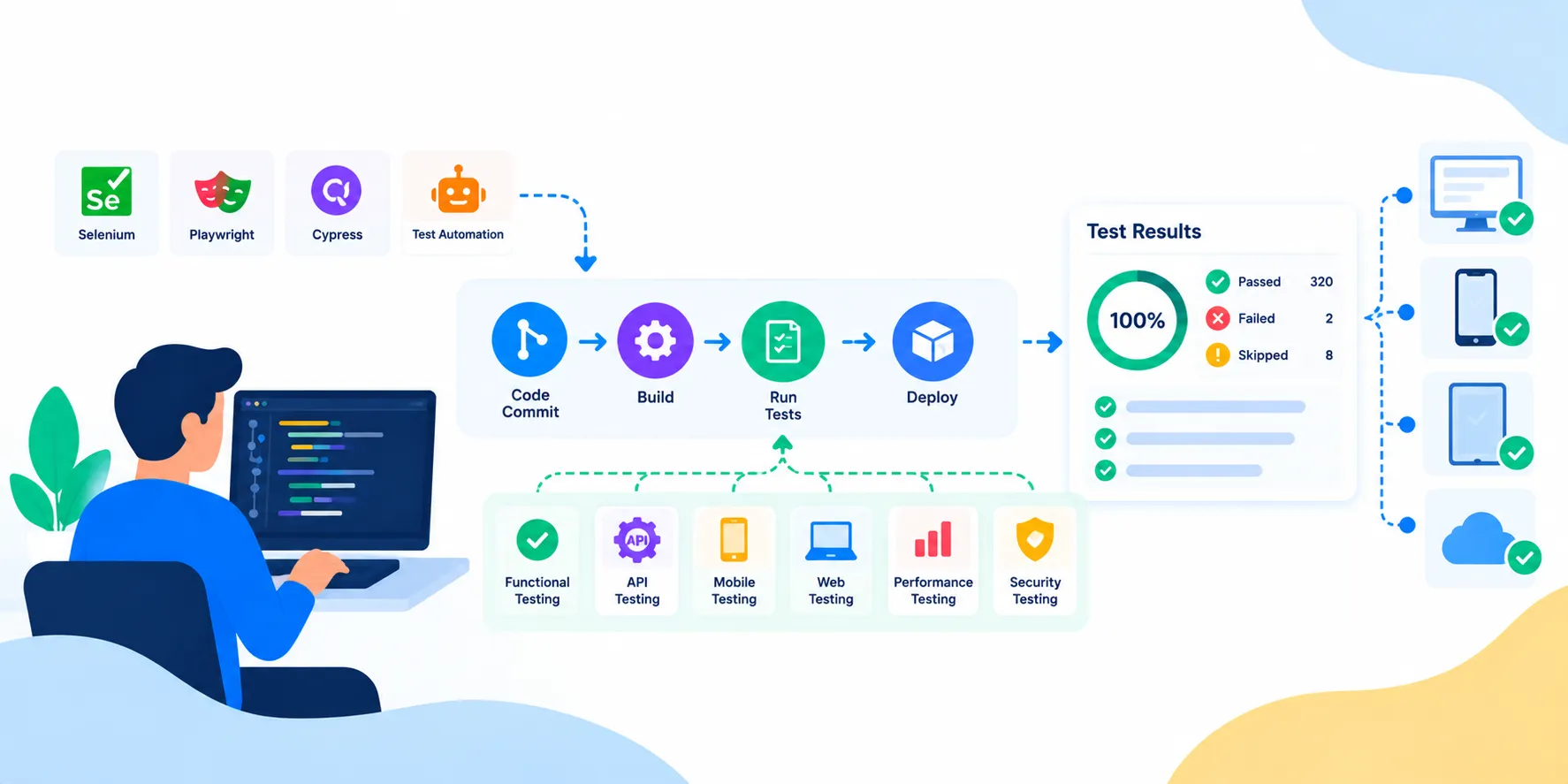
QA Automation Should Reduce Repetition, Not Create More Maintenance
QA automation is valuable when a product has important checks that need to be repeated consistently. Instead of manually executing the same stable scenarios for every release, automated tests can provide fast feedback and make regression coverage easier to repeat.
Our QA automation services focus on choosing the right automation targets, building maintainable test architecture, connecting automated checks to delivery workflows, and keeping results useful for product and engineering teams.
The objective is not to maximize the number of automated tests. It is to automate the right checks so teams spend less time repeating predictable validation and more time investigating meaningful product risk.
Automation for Growing Product Teams
Who Our QA Automation Services Help
QA automation becomes more valuable as product complexity, release frequency, integrations and regression requirements increase.
SaaS Product Teams
Build repeatable coverage around critical workflows and frequent product releases.
Web Application Teams
Automate browser journeys, regression paths, forms, roles and high-value user flows.
API-First Platforms
Automate service contracts, validation, business rules and integration workflows.
Mobile Product Teams
Automate stable mobile journeys across supported iOS and Android scenarios.
Enterprise Applications
Modernize large regression suites and connect quality checks to structured release processes.
Teams With Manual QA
Identify high-value candidates for automation while keeping exploratory testing human-led.
End-to-End Test Automation
QA Automation Services We Offer
Our QA automation services cover strategy, implementation, execution and continuous improvement.
QA Automation Consulting
Assess the product, existing QA process, risks and automation opportunities before selecting a technical approach.
Test Automation Strategy
Create an automation roadmap covering scope, priorities, framework, environments and ownership.
Web Test Automation
Automate critical browser workflows, regression paths, forms, roles and end-to-end journeys.
API Test Automation
Automate service validation, schemas, authentication, errors, business rules and integration flows.
Mobile Test Automation
Automate repeatable iOS and Android workflows and device-aware scenarios.
Playwright Testing Services
Build modern browser automation with Playwright where its capabilities fit the product and team.
Selenium Automation Services
Extend or modernize established Selenium suites where the existing ecosystem remains valuable.
Cypress Testing Services
Build JavaScript-focused web automation where Cypress fits the application's testing needs.
Automation Framework Development
Create reusable test structure, fixtures, utilities, page or component abstractions and conventions.
CI/CD Test Automation
Connect automated checks to delivery pipelines and define practical quality gates.
Cross-Browser & Device Automation
Run important automated scenarios across supported browser, operating-system and device combinations.
Test Automation Migration
Move or modernize automation suites when frameworks, architecture or application technology changes.
Flaky Test Reduction
Investigate unstable tests and improve synchronization, data handling, isolation and diagnostics.
Automation Maintenance & Optimization
Keep suites aligned with product changes, reduce unnecessary maintenance and improve execution efficiency.
Choose What to Automate Before Writing Scripts
Automation Strategy & Test Pyramid
A sustainable automation program starts with coverage decisions, not a tool installation.
Critical Workflow Mapping
Identify customer and business journeys where repeated validation creates the most value.
Automation Candidate Selection
Prioritize stable, repetitive, high-impact checks instead of automating everything.
Layered Coverage
Balance API, integration, component and UI automation so the suite is not unnecessarily dependent on slow end-to-end tests.
Framework Decision
Select tooling based on application technology, browser/device needs, team skills and maintenance requirements.
Execution Strategy
Plan local, CI and cloud execution, parallelization and environment handling around suite size.
Maintenance Model
Define ownership, coding standards, review practices and cleanup expectations from the beginning.
Automate the Journeys Users Depend On
Web Test Automation
Web automation can provide repeatable coverage for critical browser workflows across modern applications.
Authentication & Accounts
Automate login, registration, password recovery, role access and account workflows.
Core Business Journeys
Automate workflows such as search, checkout, booking, onboarding, approvals and reporting.
Forms & Validation
Check required fields, validation rules, error handling and successful submissions.
Role-Based Experiences
Verify important workflows across supported user roles and permissions.
Cross-Browser Execution
Run priority scenarios against supported browser environments.
Visual & UI Checks
Add focused visual or UI validation where presentation changes create meaningful product risk.
Validate Services Before They Become UI Failures
API & Integration Automation
API automation can test business logic and integrations faster and with less UI dependency.
Contract Validation
Check response structures, required fields, data types and expected API behavior.
Authentication
Validate tokens, sessions, permissions and protected endpoints.
Business Rules
Automate calculations, status changes, validations and important backend rules.
Negative Scenarios
Check invalid inputs, missing data, unauthorized access and expected error responses.
Integration Workflows
Validate data movement between services and third-party systems.
Data Verification
Confirm important records are created, updated and returned consistently across workflows.
Automate Stable Mobile Experiences
Mobile Test Automation
Mobile automation helps teams repeat important scenarios across supported platforms and device conditions.
iOS & Android Flows
Automate stable user journeys across supported mobile platforms.
Navigation & Deep Links
Validate navigation paths, deep links and important entry points.
Permissions
Check repeatable permission-related behavior for camera, location, notifications and other capabilities.
Notifications
Validate important push notification flows and resulting application behavior.
Offline & Network States
Automate appropriate checks around connectivity changes and recoverable states.
Device Coverage
Run priority automated scenarios across selected devices and OS combinations.
Turn Automated Tests Into Continuous Feedback
CI/CD Automation & Execution
Automation becomes more useful when important checks run consistently as part of the engineering workflow.
Pull Request Checks
Run focused tests against proposed changes where fast feedback is practical.
Build Validation
Execute smoke and critical checks after application builds.
Regression Gates
Run prioritized regression suites before defined release stages.
Parallel Execution
Split suitable tests across workers or environments to reduce unnecessary execution time.
Failure Diagnostics
Capture useful logs, screenshots, traces and test artifacts for investigation.
Release Reporting
Surface test status and unresolved failures so teams can make informed release decisions.
A Suite That Teams Can Trust
Reliable & Maintainable Automation
Automation loses value when failures are noisy or tests require constant repair.
Stable Selectors
Use resilient element targeting and application-aware test design.
Test Isolation
Keep tests independent where possible so one failure does not cascade into unrelated results.
Deterministic Data
Control test state and data so failures are easier to reproduce and diagnose.
Synchronization
Handle asynchronous application behavior deliberately instead of relying on fragile timing assumptions.
Traceable Failures
Capture enough execution context to understand where and why a test failed.
Flaky Test Management
Track recurring instability and address root causes rather than repeatedly rerunning failures.
Automation Framework Architecture
A good framework gives test engineers reusable building blocks without hiding the behavior that matters. Depending on the application, this can include shared fixtures, page or component abstractions, API clients, test data utilities, environment configuration, reporting and common assertions.
For modern web applications, Playwright or Cypress may be suitable for JavaScript or TypeScript teams, while Selenium remains useful for established enterprise suites and broad ecosystem requirements. Mobile applications may use Appium or platform-specific tooling. The decision should follow product requirements rather than tool popularity.
We also consider how the framework will be reviewed, debugged, updated and executed in CI. A technically impressive framework that the team cannot maintain is not a successful automation solution.
Test Where Customers Actually Run the Product
Cross-Browser, Device & Environment Automation
Execution environments should reflect the product's supported platforms and the risks that matter to customers.
Browser Matrix
Automate priority scenarios across supported Chrome, Firefox, Safari and other required browsers.
Operating Systems
Include relevant desktop or mobile operating-system combinations in the automation plan.
Real Device Execution
Use real-device execution when emulation cannot adequately represent important behavior.
Responsive States
Validate key journeys across important viewport sizes and responsive layouts.
Environment Configuration
Keep environment-specific settings controlled and reproducible across execution targets.
Parallel Runs
Execute independent scenarios concurrently where it improves feedback without reducing reliability.
Make Test Results Useful to the Team
Automation Reporting & Quality Insights
A passing or failing count is only the beginning. Teams need context to act on results.
Execution Reports
Track suites, runs, pass/fail status, duration and affected areas.
Failure Evidence
Collect screenshots, traces, logs and relevant artifacts for failed scenarios.
Coverage Visibility
Show which critical workflows are automated and where manual coverage remains important.
Trend Analysis
Identify recurring failures, growing execution time and unstable areas over time.
Defect Integration
Connect important failures to the team's defect workflow where useful.
Release Summary
Provide a clear automation status view for release decisions.
Use AI Carefully, Not as a Replacement for QA Judgment
AI-Assisted Test Engineering
AI can assist test creation, maintenance and failure analysis, but teams still need engineering judgment and review.
Test Case Suggestions
Use product requirements and existing coverage to identify potential automation candidates.
Failure Analysis
Use structured evidence to speed investigation of recurring failures.
Locator Maintenance
Explore AI-assisted approaches where they improve resilience without hiding important failures.
Coverage Gap Discovery
Identify areas with limited automated coverage and prioritize them by risk.
Human Review
Review generated or AI-assisted tests before making them part of the trusted suite.
Responsible Adoption
Evaluate AI automation by reliability, maintenance cost and defect detection rather than novelty.
From Automation Assessment to Continuous Improvement
Our QA Automation Process
A phased approach keeps automation tied to business risk and long-term maintenance.
01. Product & QA Assessment
Review application architecture, workflows, existing tests, release process and quality risks.
02. Automation Opportunity Mapping
Identify repeatable scenarios where automation can reduce effort or improve coverage.
03. Framework Selection
Choose tooling and execution architecture based on application and team requirements.
04. Test Architecture
Define project structure, fixtures, utilities, data handling, environments and conventions.
05. Critical Tests First
Automate a focused set of high-value scenarios before expanding coverage.
06. Build Automation
Develop maintainable UI, API, mobile or integration checks as appropriate.
07. Validate Reliability
Run repeated executions and address synchronization, data and isolation problems.
08. Connect CI/CD
Integrate suitable suites into the engineering delivery workflow.
09. Add Environment Coverage
Expand execution across supported browsers, devices and environments based on risk.
10. Reporting & Diagnostics
Make failures visible with useful evidence and actionable reporting.
11. Optimize the Suite
Reduce duplication, flaky tests and unnecessary execution while preserving important coverage.
12. Continuous Maintenance
Keep automation aligned with product changes, framework updates and evolving release needs.
QA Automation Technology Stack
We select tools around the application's technology, existing investment, coverage requirements and maintenance model.
Improve Existing Suites Without Starting Blindly
Test Automation Modernization
Legacy automation can often be improved incrementally instead of being discarded.
Suite Assessment
Identify duplicate, obsolete, slow, flaky and low-value automated tests.
Framework Migration
Move suitable coverage to a newer framework when the business case supports migration.
Architecture Cleanup
Improve shared utilities, fixtures, data management and test organization.
Flaky Test Reduction
Prioritize recurring failures that reduce trust in automation results.
Coverage Rebalancing
Shift effort toward important workflows and away from low-value test volume.
CI/CD Optimization
Improve execution flow, parallelization and failure visibility around the existing suite.
Scale Automation Around Your Roadmap
QA Automation Engagement Models
Choose a focused engagement or ongoing automation capacity based on the maturity of your product and QA process.
Automation Assessment
Review the existing QA approach and produce a prioritized automation roadmap.
Automation Pilot
Prove the framework, architecture and maintenance approach on a small set of critical workflows.
Dedicated Automation Team
Add automation engineers who work with product and QA teams across releases.
Ongoing QA Automation
Continuously expand, maintain and optimize automation as the product evolves.
When QA Automation Services Make Sense
QA automation is a strong fit when releases repeatedly require the same manual checks, regression coverage is becoming expensive, the product is releasing frequently, or the team needs faster feedback before deployment.
It is also useful when an existing automation suite has become difficult to trust because of flaky tests, poor structure, long execution times or frequent maintenance. In those cases, improving the quality of the automation itself can be more valuable than simply adding more scripts.
Automation should complement—not eliminate—manual and exploratory testing. The best programs use automation for repeatable coverage and people for judgment, exploration and risk assessment.
Automation With an Engineering Mindset
Why Businesses Choose Axora for QA Automation
Our QA automation approach emphasizes useful coverage, maintainability and collaboration with the teams building the product.
Risk-Based Automation
Prioritize scenarios based on business impact and repeatability instead of chasing test counts.
Modern Framework Selection
Choose tooling based on the product and team rather than forcing one framework everywhere.
Maintainable Architecture
Build reusable patterns that make the suite easier to understand and update.
CI/CD Integration
Connect appropriate tests to delivery workflows for earlier feedback.
Clear Diagnostics
Capture evidence that helps engineers investigate failures efficiently.
Continuous Improvement
Treat automation as a maintained engineering asset rather than a one-time project.
Automation That Engineers Can Trust
A successful automation program should make the team more confident, not more skeptical of test results. That means reducing noisy failures, keeping tests aligned with real product behavior, and making failures easy to investigate.
We focus on critical workflows first, establish maintainable patterns, connect automation to the team's delivery process, and continuously review whether the suite is still providing useful coverage.
The result is a QA automation capability that supports faster feedback while preserving the role of exploratory testing and human quality judgment.
Related Services
Services to Support QA Automation

Software Testing Services
Reduce release risk with structured software testing across web, mobile, APIs, integrations, workflows, compatibility, regression, UAT, and quality engineering—built around your product's real business-critical journeys.
Learn more
Web Application Development Company
Build secure, scalable web applications around your workflows, users, data, and growth plans—from customer portals and internal business apps to SaaS platforms, dashboards, marketplaces, and enterprise web systems.
Learn more
API Development Services
Build secure, scalable, and high-performance Web APIs, custom microservices integrations, and RESTful structures. Enterprise API development company delivering premium connector solutions.
Learn more
DevOps Services Company
Build faster, safer, and more reliable software delivery with DevOps services covering CI/CD automation, infrastructure as code, containers, Kubernetes, cloud operations, DevSecOps, observability, SRE, and continuous optimization.
Learn moreFrom Our Blog
Software Engineering Insights
Frequently Asked Questions
Common questions about QA automation services and test automation engagements.
Ready to Transform Your Business?
Get started with our intelligent digital solutions. Our team is ready to help you unlock the power of AI-driven technology.
Send us a message
Fill out the form below and we'll get back to you within 24 hours
Contact Information
Reach out to us through any of these channels